Write it
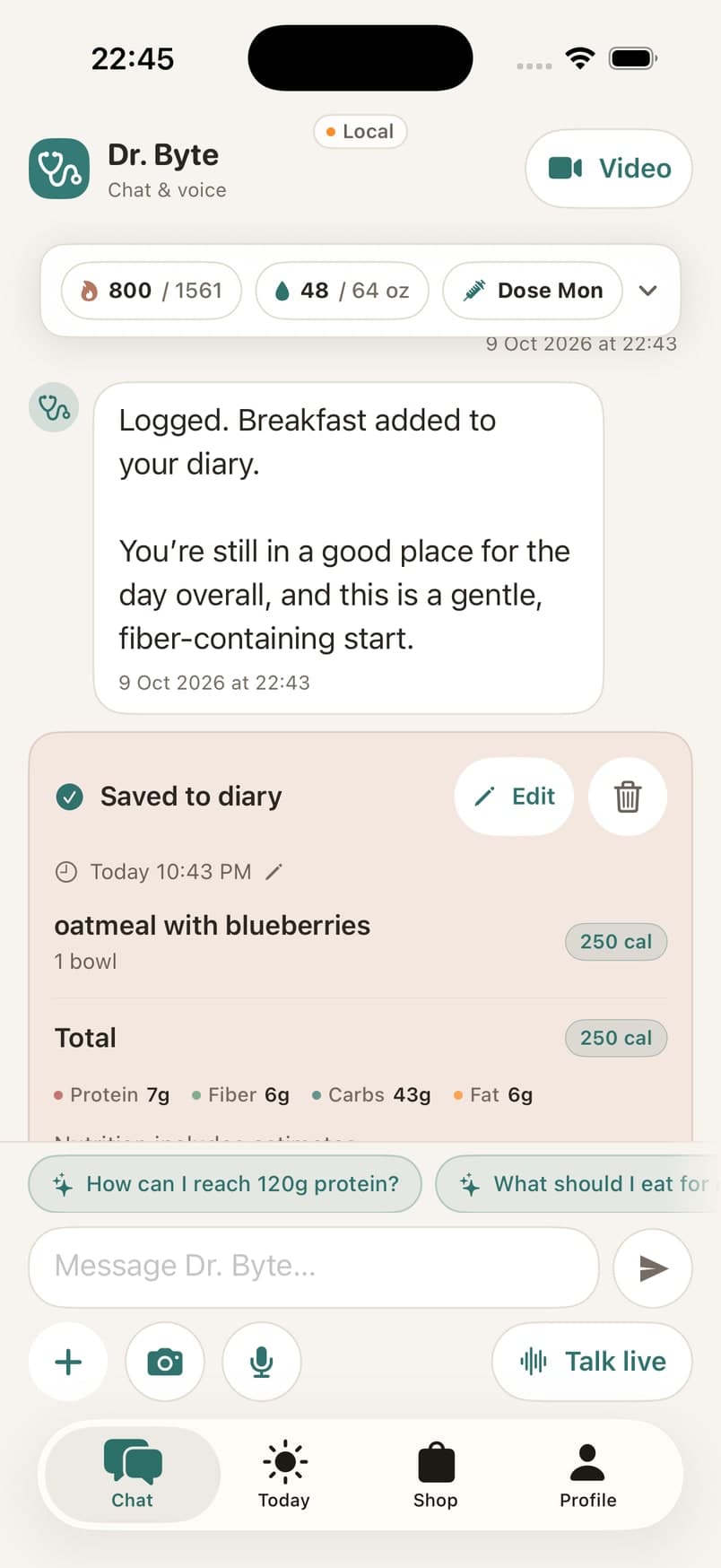
Type a meal, a symptom or a question. Keep the conversation and the entries it creates together in Chat.
Meet Dr. Byte
Talk through a meal, capture how you feel, or ask a question about your day. Dr. Byte brings conversation and your health record closer together.
Download on the iOS App StoreText, photos, voice & avatar conversations
Make room for the everyday
You shouldn’t need a perfect description to get started. Describe the meal you remember, add the portion you know, and review the result before it becomes part of your record.
Food recognition and nutrition estimates can need correction. ByteMD gives you ways to review matches, adjust portions and edit the details.
Type a meal, a symptom or a question. Keep the conversation and the entries it creates together in Chat.
Attach a meal photo from your camera or library. Review the identified foods and their quantities before saving.
Dictate a quick food entry or start a live voice conversation. The avatar experience offers another way to talk through what you want to record.
More than a meal log
Discuss meal ideas and review meal-plan suggestions. Keep your goals, allergies and preferences up to date so your profile carries the context you want to share.
Record hydration and symptoms as well as food. Revisit the saved entries in Today to make sure your day is represented accurately.
When you’re dining out
Start with “I’m dining out,” then explore restaurant and menu suggestions with Dr. Byte. Consider them alongside your preferences and what the restaurant can confirm.
Your profile & preferencesStart a dining check-in from the app. You can also enable optional dining alerts in Profile.
Explore food choices and possible adjustments. Confirm ingredients and allergens directly with restaurant staff.
Log what you actually ate and how you felt afterward. Your diary is most useful when it reflects your day.
A few useful details
Dr. Byte is an AI assistant, not a licensed clinician. It supports wellness tracking and education. Discuss diagnoses, medication changes and treatment decisions with your healthcare professional.
Yes. Review food matches and portions before saving, and edit your recorded entries when something needs to change. Photo recognition and nutrition values are estimates.
You choose permissions for the features you use. Photos use camera or library access; voice uses your microphone. Optional dining alerts use location permissions. You can still use text and manual logging.
No. Review suggested food matches and confirm your record. Dining suggestions are choices to consider, not proof of what you ordered or consumed.